AI-Enabled Barcode Scanning vs Traditional Scanning
Over 10 billion barcodes are scanned every single day, twice as many as a decade ago. Behind every o...
 10 Mins read
Posted on May 7, 2026
November 18, 2026
4 Mins read


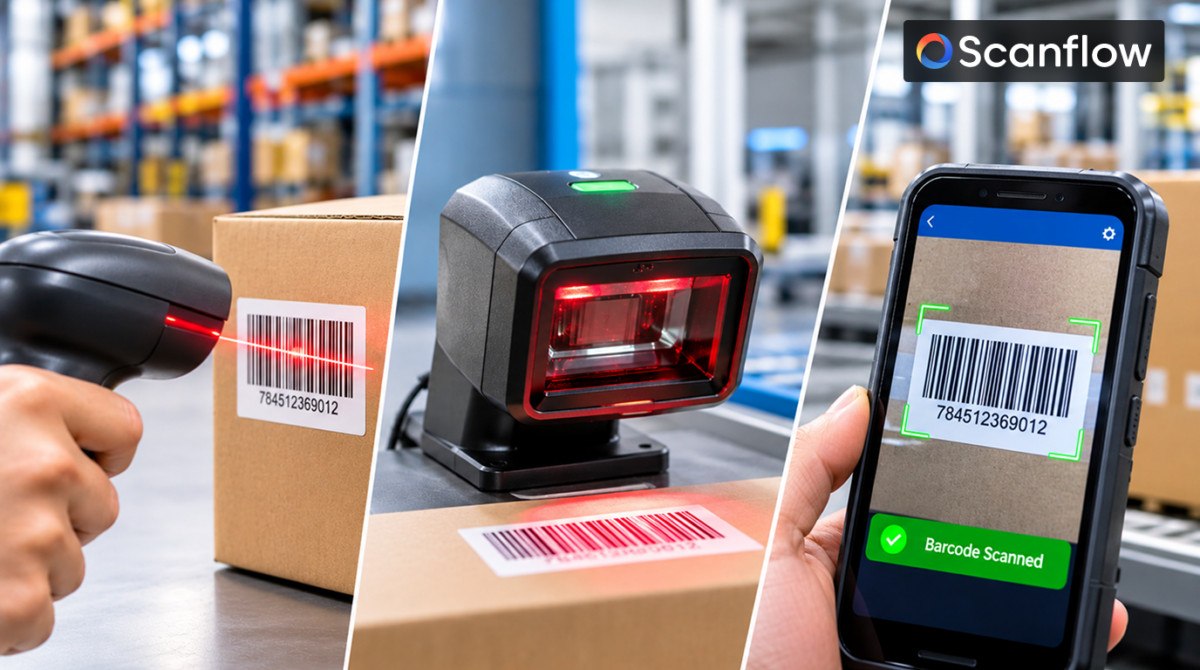
When you scan a barcode, a scanner lights the code, captures how much light each part reflects and software converts that pattern into the characters the code holds. The whole sequence usually takes a fraction of a second.
A barcode works because dark and light areas reflect light differently. Dark bars absorb light; light spaces reflect it. The scanner turns that contrast into an electrical signal or a digital image and the decoder reads the widths of bars and spaces (for 1D codes) or the arrangement of square modules (for 2D codes).
There are three main ways to capture that pattern: a laser beam, a linear image sensor or an area image sensor (a camera). Each suits different jobs.
A laser scanner shines a thin laser beam onto a moving mirror, which sweeps the beam back and forth across the barcode as a red line. A photodiode measures the light reflected back as the beam crosses each bar and space.
The result is a waveform: high where light reflects off spaces, low where bars absorb it. The decoder measures the timing of each rise and fall to work out the relative widths of the bars, then reads the code.
A linear imager uses a single row of light sensors (often called a CCD scanner) instead of a laser. An LED lights the barcode and the sensor row captures one slice of it, like a one-line photograph.
Linear imagers read 1D barcodes and unlike lasers, can often read codes on screens. They have no moving mirror, which makes them durable. Like lasers, they still need to be lined up across the code and cannot read 2D codes.
A 2D area imager takes a full two-dimensional picture of the code with a camera sensor, then software finds and reads the code inside that image. Phone and tablet cameras work the same way, using a scanning app or SDK to do the decoding.
Because the scanner sees the whole image, it can:
Image-based scanning is also where AI-powered decoding fits. Because the software works on a full image, it can correct for blur, perspective, glare and damage before decoding.
| Laser scanner | Linear imager | 2D area imager | Phone / tablet camera | |
|---|---|---|---|---|
| How it captures | Sweeping laser beam + photodiode | One row of sensors | Full image sensor | Full image sensor + app or SDK |
| 1D barcodes | Yes | Yes | Yes | Yes |
| 2D codes (QR, Data Matrix) | No | No | Yes | Yes |
| Reads from screens | Usually no | Often | Yes | Yes |
| Orientation | Must cross the code | Must cross the code | Any | Any |
| Typical range | Short to long | Short | Short to medium | Short to medium |
| Best for | Retail checkout, long-range warehouse picking | Simple, durable 1D scanning | Mixed 1D/2D, DPM, healthcare, manufacturing | Field work, mobile apps, BYOD workflows |
Decoding is the software step that turns a captured pattern into data. For image-based scanners it runs in five stages:
The verification step is why a barcode either scans correctly or doesn’t scan at all. A wrong read is far rarer than a no-read.
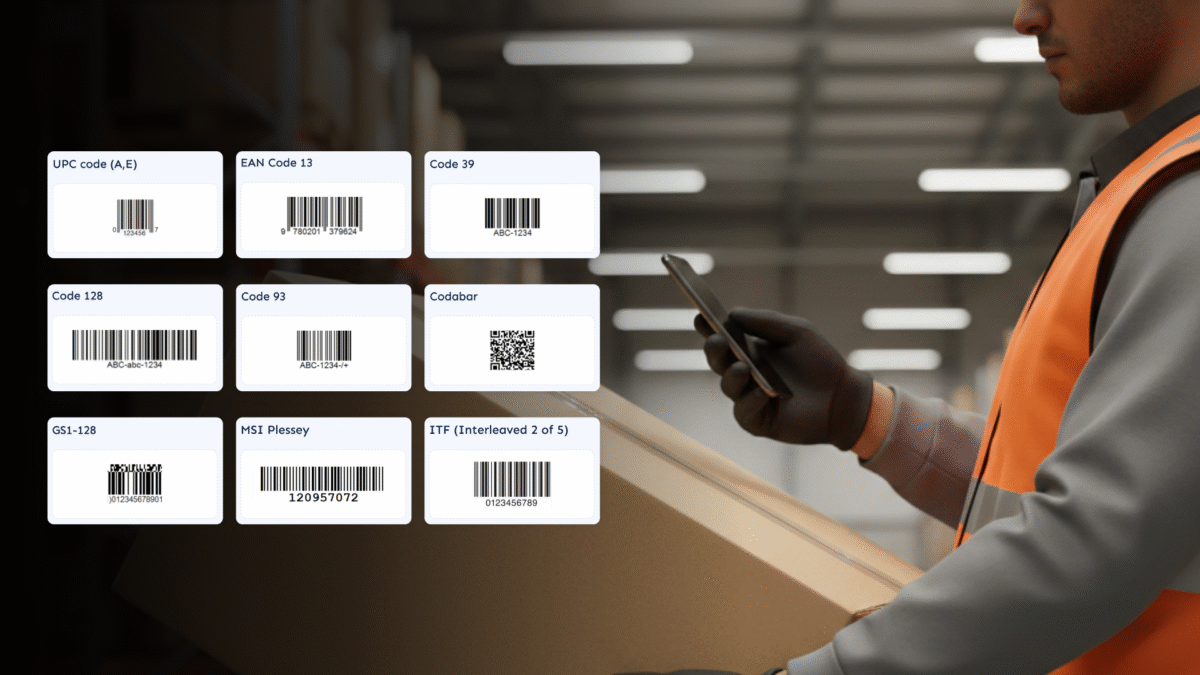
Code types differ in how much they hold. A 1D barcode typically carries a short identifier, such as a 12-digit UPC. A QR code can hold up to 4,296 alphanumeric characters, and a Data Matrix code up to 2,335, while staying readable even when part of the code is damaged, thanks to built-in error correction. See our guide to types of barcodes for the main symbologies.
To scan a barcode with a phone, open a camera or scanning app, point it at the code, and hold steady until the app reads it. A few habits make scans faster and more reliable:
Most phone camera apps read QR codes directly. Reading 1D product barcodes, or scanning many codes at work, usually needs an app with a built-in barcode scanner.
When a barcode won’t scan, the cause is usually one of these:
| Cause | What happens | Fix |
|---|---|---|
| Poor print quality | Bars bleed or fade, so widths can't be measured | Better print settings or label stock |
| Physical damage | Scratches, tears or dirt break the pattern | Image-based scanning with damage recovery; reprint |
| Low contrast | Faded print or coloured backgrounds | Rescan in better light; fix the label design |
| Glare | Shiny labels or film reflect light into the sensor | Change the angle; diffuse lighting |
| Low light | The sensor can't capture enough detail | Add light; use a scanner tuned for low light |
| Wrong scanner type | A laser can't read a QR or Data Matrix code | Use an imager or camera-based scanner |
| Missing quiet zone | Printing too close to the edge confuses the decoder | Leave a clear margin around the code |
For tough labels, see how AI handles scanning damaged and low-light barcodes.
Scanflow Capture is an AI-powered data capture SDK that adds barcode, label and text scanning to your own app. It runs on iOS, Android, React Native, Flutter, Xamarin, .NET MAUI and Web JS, and works offline, so scanning continues in warehouses, yards and field locations with no signal.
Because it decodes from the full camera image, it is built for the codes that defeat ordinary scanners: damaged, faded, rotated and low-light barcodes, and labels with several codes and text fields together.

AI-Enabled Barcode Scanning vs Traditional Scanning
10 Mins read
Posted on May 7, 2026
Types of Barcodes: Choosing the Right Barcode
8 Mins read
Posted on Feb 5, 2026