5 Warehouse Challenges Solved by Scanflow Pick and Pack Solution
In today’s high velocity supply chain, warehouse operations face pressure to meet rising order vol...
 3 Mins read
Posted on Aug 11, 2025
October 28, 2026
3 Mins read


Key takeaways
A serial number scanner is software that reads a product’s unique serial number from a label or part using a camera, then sends it to an app or system. It replaces typing long strings of letters and numbers by hand.
Serial number scanners work in two ways. Some decode a barcode or QR code that encodes the serial. Others use optical character recognition (OCR) to read the printed characters directly. The most useful ones do both.
Serial numbers look simple on a spec sheet. On a real device in a warehouse or service van, they are some of the hardest text to capture.
| Where the serial is | What's usually on it | What makes it hard |
|---|---|---|
| Laptop and server labels | Serial, model, part number, barcode(s), regulatory marks | Small print, many look-alike fields, faded after years of use |
| Phone and tablet boxes or trays | Serial, IMEI 1, IMEI 2, model, colour, storage | Several barcodes side by side, glossy surfaces |
| Hard drives and SSDs | Serial, model, capacity, firmware, barcode | Tiny labels, reflective metal, scratches |
| Industrial equipment nameplates | Serial, model, rating data | Stamped or engraved metal, low contrast, curved surfaces |
| Returned or used devices | Any of the above | Torn, smudged or partially missing labels |
The common thread is that the serial is never alone. A scanner has to find the right field among several, and still read it when the label is worn.
There are three ways to capture a serial number from a label. They solve different problems.
| Method | How it works | Good for | Breaks when |
|---|---|---|---|
| Barcode scanning | Decodes the barcode that encodes the serial | Clean labels with one known barcode | There's no barcode, it's damaged, or several barcodes sit side by side |
| Single-line OCR | Reads one line of printed text | A single serial printed on its own | The label has many fields, or the serial must be matched to its IMEI or model |
| Label capture | Reads barcodes and printed text together, then picks out each field | Multi-field labels: serial + IMEI + model + part number |
For most operations, the question is not “can it read a serial?” but “can it read every field I need from this label in one go?” That is what label capture is built for. For background on barcode formats, see our guide to types of barcodes.
Serial number capture sits at the start of many workflows. If it is wrong there, every record after it is wrong too.
If you are adding serial number scanning to your own app, test SDKs on your hardest labels, not on clean demo samples. Check these six things:
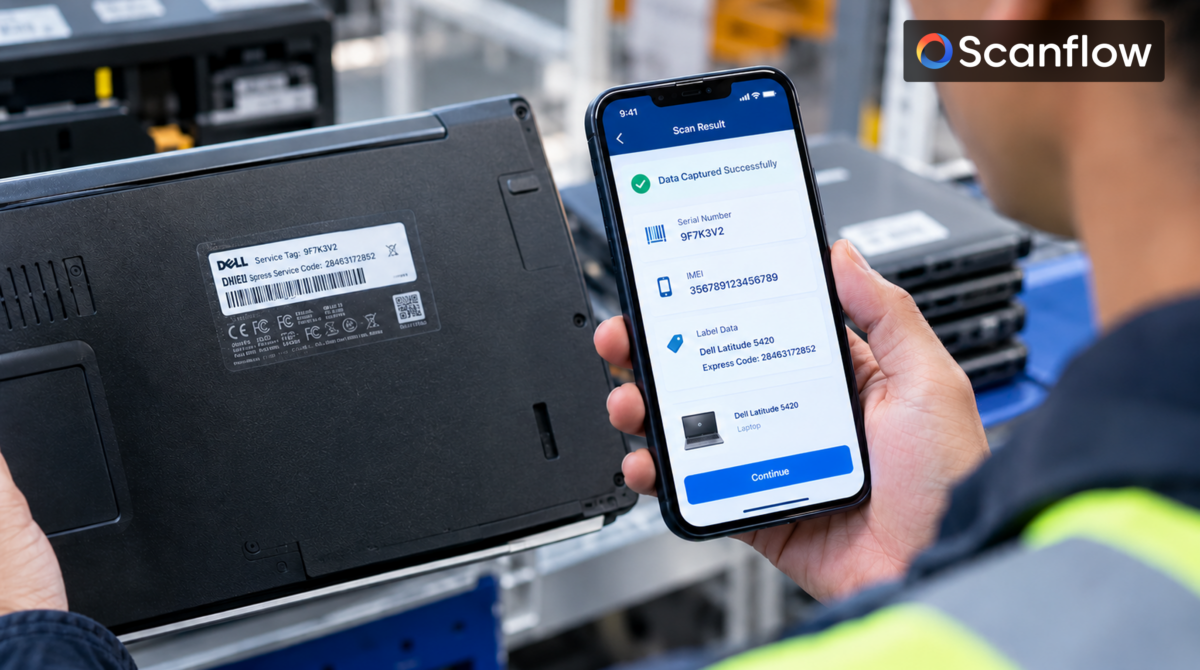
Scanflow Label Capture is part of Scanflow Capture, an AI-enabled asset identification SDK for iOS and Android. It reads barcodes and printed text on a label in a single capture and returns the fields your workflow needs.
A typical flow looks like this:
Scanflow is built for the identifiers ordinary scanners struggle with: damaged labels, low-contrast and stamped serials, and labels with many fields. The same SDK also covers serial number and text scanning, VIN scanning and tire sidewall scanning, so one integration handles several identification jobs.

5 Warehouse Challenges Solved by Scanflow Pick and Pack Solution
3 Mins read
Posted on Aug 11, 2025

How Scanflow AI SDK Transforms Barcode and QR Code Scanning
2 Mins read
Posted on Jul 10, 2025