How AI Tire Scanning Improves Quality Control & Compliance
Whether you manage quality on a tire production line, oversee fleet maintenance compliance, or run a...
 5 Mins read
Posted on Mar 11, 2026
March 31, 2026
8 Mins read


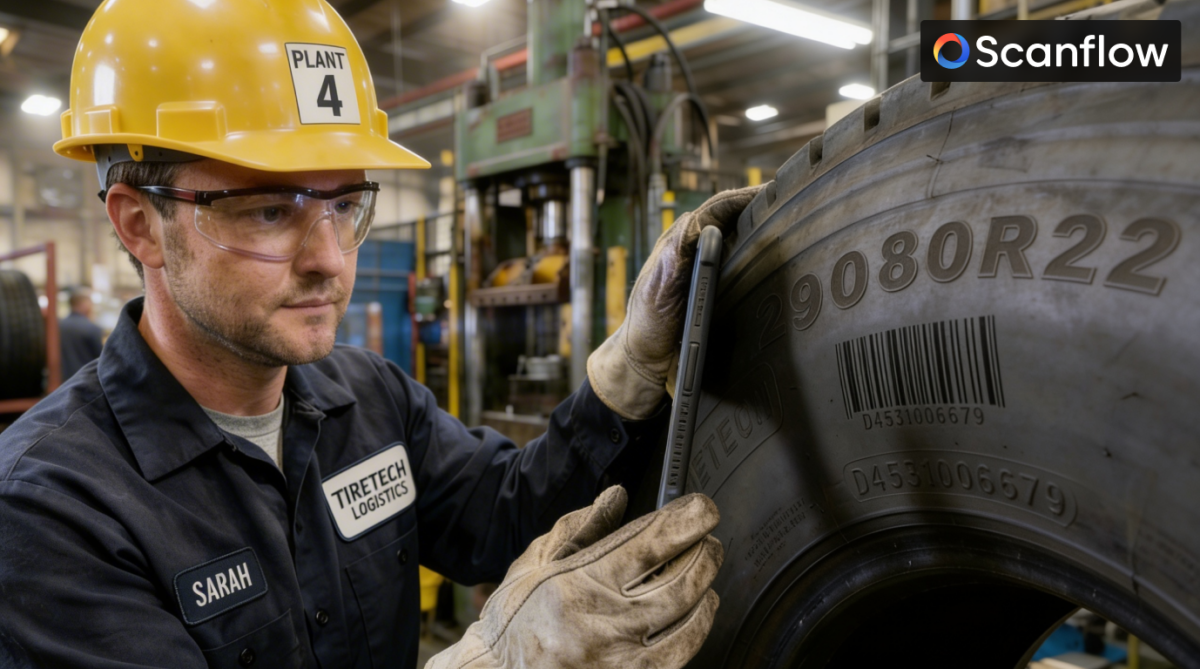
Every tire manufactured today carries a unique DOT number and often additional identifiers, such as serial numbers or RFID tags. But in most tire operations from manufacturing plants to warehouses, retail shops, fleet management, and recycling facilities, these identifiers are still being manually typed into systems, photographed with standard cameras, or ignored entirely.
The result? Fewer mis-ships, inventory errors, warranty disputes, and compliance failures, building trust in tire SDK’s accuracy.
The result? Mis-ships, inventory errors, warranty disputes, compliance failures, and recycling programmes that can’t verify what tires they’re actually processing.
Emphasizing how tire SDK scanning technology can prevent these issues highlights its significance for industry practices.
This guide explains what tire SDK scanning is, why it matters, where manual processes break down, and how to implement end-to-end traceability smoothly.
Tire traceability isn’t just about knowing where a tire is it’s about connecting physical tires to their digital records across multiple handoffs, ownership changes, and decades of use. Clarifying these benefits helps industry professionals understand the value of adopting tire SDK scanning.
When traceability breaks down, five major problems emerge:
A Tire SDK is a software library that developers integrate into mobile apps, warehouse management systems, POS systems, or fleet management platforms. It uses computer vision and machine learning to:
Instead of a technician manually typing “DOT ABCD1234” into a computer, they point a smartphone camera at the tire. The SDK reads the DOT code, validates its format, and pushes the data directly into the inventory system, warranty claim database, or fleet management database.
KEY DIFFERENCE FROM GENERIC OCR: Generic OCR (optical character recognition) struggles with tires because:
Tire SDKs are trained specifically on tire markings, handle curved surfaces and poor lighting, and output structured, validated data instead of raw text strings.
Before diving into implementation, it’s worth understanding where current manual and semi-automated processes fail:
Tires leave the factory with DOT codes and serial numbers, but many plants still rely on manual data entry or barcode scanning of production batch labels rather than the tire itself. This practice creates a disconnect between the physical tire and its manufacturing record.
Warehouse staff manually read DOT codes and tire sizes during receipt of shipments and order picking. Error rates of 2-5% are common. On a shipment of 1,000 tires, that’s 20-50 incorrectly logged tires, each one a potential mis-ship or inventory discrepancy.
When a customer buys tires, the retailer needs to log the DOT code for warranty registration and recall tracking. Many retailers skip this step entirely because manual entry is too slow during busy service appointments; the result: no traceability of installation between the tire and the vehicle.
Fleet operators tracking thousands of tires across hundreds of vehicles rely on manual inspections and spreadsheet records. Without automated tire identification, tracking tire age, rotation schedules, and replacement history becomes impossible at scale.
Tire recyclers are often required to document the volume and type of tires they process. Still, without automated identification, they’re relying on weight-based estimates rather than actual tire counts and specifications.
End-to-end traceability means every time a tire changes hands or gets serviced, its identifier is automatically captured and linked to a transaction record. Here’s how tire SDK scanning makes this possible at each stage:
Integrate the tire SDK into quality control stations on the production line. As tires pass inspection, cameras automatically capture DOT codes and serial numbers, linking each tire to its production batch, compound formulation, and QC test results.
This process creates a verified manufacturing record without manual data entry.
2. WAREHOUSE: Automated Receiving & Picking
Equip warehouse staff with mobile devices running apps integrated with tire SDK. When receiving shipments, staff scan tire sidewalls rather than manually enter DOT codes. The system automatically:
When picking orders, the system verifies that the correct tire identification is provided by comparing the scanned DOT to the order.
3. RETAIL: Instant Warranty Registration & Recall Tracking
At the point of sale, integrate the tire SDK into your POS or service bay workflow. When installing tires:
This process eliminates the manual step that most retailers skip, ensuring complete traceability from installation forward.
4. FLEET MANAGEMENT: Automated Tire Audits & Lifecycle Tracking
Fleet operators can use mobile apps with tire SDK integration to conduct rapid tire audits:
Instead of clipboard-based manual inspections that take hours, tire SDK scanning reduces audit time by 60-80%.
5. SERVICE & MAINTENANCE: Service History Documentation
Every time a tire is serviced (rotation, balancing, repair, replacement), scan the DOT code and log the service event. This practice creates a complete service history tied to each tire, invaluable for warranty claims and failure analysis.
6. RECYCLING & END-OF-LIFE: Verified Disposal Documentation
Tire recyclers can scan DOT codes as tires enter the facility, creating verified records of:
This process replaces weight-based estimates with actual tire-level data.
Not all tire SDKs are created equal. When evaluating solutions, prioritize these capabilities:
The SDK should handle dirty tires, poor lighting, curved sidewalls, and partial obstructions. Look for SDKs with 95%+ read rates in field conditions, not just clean lab environments.
Should read DOT codes, serial numbers, tire size markings, and RFID tags (if present) in a single scan.
Scanning should take 1-3 seconds, not 10+ seconds. Slow processing kills user adoption.
Field technicians and warehouse staff often work in areas with poor connectivity. The SDK must process tire images locally on-device and queue data for sync when connectivity returns.
Should return parsed, validated data (manufacturer code, plant code, week, year, size), not just raw text strings. This process eliminates downstream parsing errors.
Should offer REST APIs or mobile SDKs (iOS, Android) that integrate easily with existing systems, WMS, ERP, POS, and fleet management platforms.
Should validate DOT format, flag invalid codes, and detect common OCR errors (e.g., confusing “O” and “0”, “I” and “1”)
STEP 1: Identify High-Impact Use Cases
Don’t try to implement everywhere at once. Start with the process where manual tire identification causes the most pain:
STEP 2: Choose Your Integration Architecture
Most tire SDK providers offer three integration options:
Choose based on your development resources and existing infrastructure.
STEP 3: Integrate with Your Systems of Record
The tire SDK is only valuable if scanned data flows into your:
Work with your IT team or SDK provider to establish API connections that push scanned tire data directly into these systems in real-time.
STEP 4: Design Workflows That Enforce Scanning
Technology alone doesn’t create traceability workflows, though. Design processes that require scanning:
Make scanning the path of least resistance, not an optional extra step.
STEP 5: Train Teams & Measure Adoption
Roll out training focused on “why these matters,” not just “how to use the app”:
Track adoption metrics:
Manual DOT code entry takes 30-60 seconds per tire. Tire SDK scanning takes 2-5 seconds. In a warehouse processing 1,000 tires/day, that’s 7-15 hours of labor saved daily.
Manual entry error rates of 2-5% drop to near-zero with automated scanning. For a distributor handling 500,000 tires/year, eliminating 10,000-25,000 data entry errors has significant downstream value by avoiding mis-ships, inventory write-offs, and customer disputes.
Retailers and fleet operators with verified tire installation records (DOT code, installation date, mileage, vehicle VIN) report 30-50% higher warranty claim acceptance rates compared to those with incomplete records.
When a tire recall is issued, organizations with tire-level traceability can identify affected inventory and customer installations in hours instead of weeks. This process reduces liability exposure and demonstrates regulatory compliance.
Tire recyclers required to document processing volumes and diversion rates can automatically generate audit-ready reports, eliminating reliance on estimates and manual calculations.
PITFALL 1: Treating Scanning as Optional
If scanning is optional, adoption will be low. Design workflows that require scanning to complete the transaction.
PITFALL 2: Ignoring Offline Requirements
Many tire facilities have poor connectivity. Choose an SDK with offline processing capability and queue-based syncing.
PITFALL 3: Not Integrating with Existing Systems
A scanning app that creates a separate database is just another data silo. Insist on real-time API integration with your WMS, POS, or fleet management platform.
PITFALL 4: Underestimating Change Management
Technology is easy. Getting people to change habits is hard. Invest in training, communication, and demonstrating value to frontline staff.
PITFALL 5: Skipping Pilot Testing
Don’t roll out company-wide on day one. Pilot at one location or one workflow, measure results, refine, then scale.
Major tire manufacturers are increasingly embedding RFID tags in tires during manufacturing. This practice enables instant batch scanning (read 50+ tires simultaneously) and eliminates the need for line-of-sight. Tire SDKs that support RFID will become essential.
Next-generation tire SDKs will not only read identifiers but also assess tire condition from images tread depth, sidewall damage, uneven wear patterns. This capability enables predictive maintenance and automated replacement recommendations.
The EU’s Digital Product Passport initiative will eventually extend to tires, requiring manufacturers to create digital records that follow tires throughout their lifecycle. Tire SDK scanning will be the mechanism that updates these records at each handoff.
As vehicles become more connected, tire traceability systems will integrate with vehicle telematics to automatically track tire age, rotation history, and performance based on actual driving data.
Tire traceability isn’t a nice-to-have anymore; it’s becoming a regulatory requirement, a competitive advantage, and a risk management necessity. Manual tire identification processes break down at scale, creating inventory errors, warranty disputes, recall chaos, and compliance gaps.
Tire SDK scanning solves this by automating tire identification at every touchpoint in the tire lifecycle. The technology is mature, the integrations are straightforward, and the ROI is immediate and measurable.
The organizations that implement end-to-end tire traceability now will be positioned for the regulatory requirements, consumer expectations, and operational efficiencies that define the next decade of the tire industry.
If you’re still manually typing DOT codes into systems or relying on paper records, the time to change is before your next recall, not during it.

How AI Tire Scanning Improves Quality Control & Compliance
5 Mins read
Posted on Mar 11, 2026

Mobile vs Fixed Camera Systems: Which Is Better for Tire Serial Number Scanning
5 Mins read
Posted on Feb 17, 2026