Picture a fleet yard at seven in the morning. Trucks are lined up, drivers are waiting to leave and someone with a clipboard is walking the row, checking tires copying down numbers and ticking boxes. By ten o’clock that person has covered maybe forty vehicles, and half the notes will have to be typed into a system later. Multiply that by a yard with several hundred vehicles and the math stops working. Audits either get rushed, or they get skipped.
The good news is that most fleets already own the only device they need. A modern smartphone camera, paired with the right software, can read vehicle and tire identifiers in seconds and send the results straight to the system the fleet already uses. This blog looks at why manual audits break down at scale, what a phone-based audit actually looks like, and what fleet managers should check before they switch.
Why Manual Fleet Audits Break Down
Fleet maintenance teams have always relied on a mix of clipboards, barcode stickers, and spreadsheets to track vehicles and tires. It works when the fleet is small. It stops working when the fleet grows, because every manual step adds time and every typed character adds a chance of error.
The errors are usually small. A digit gets swapped in a VIN. A tire code is copied from a worn sidewall and one character is guessed. A vehicle gets logged against the wrong unit number. None of these mistakes is dramatic, but each one leaves a record that does not match reality and those mismatches only show up later, during a warranty claim, a recall, or a compliance check.
There is also the time problem. A careful manual check of every tire on a vehicle can take several minutes. Across hundreds of vehicles, that is a full team working all day and it still leaves gaps. Many fleets end up checking only a sample, which means problems on the unchecked vehicles go unnoticed until something fails.
What a Phone-Based Audit Looks Like
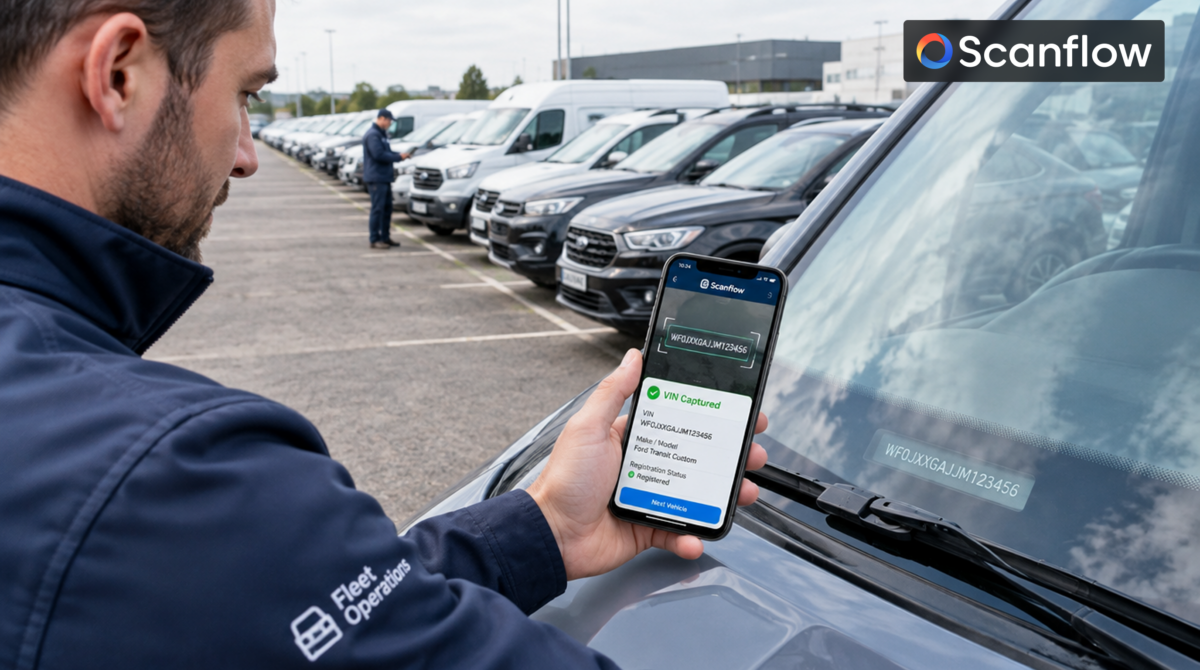
A phone-based audit replaces typing with scanning. The person doing the audit walks up to the vehicle, points the phone camera at the identifier and the software reads it. VIN scanning captures the 17-character code from a dashboard plate, door frame, or chassis. The same approach reads license plates, so the vehicle is identified without anyone typing a registration number.
For tires, the app reads the DOT codes and other sidewall markings directly from the camera image. Scanflow’s own materials describe fleet operators using mobile apps to run rapid tire audits, scanning every tire on every vehicle during routine maintenance instead of copying numbers by hand. Because the phone reads the same fields in the same way each time, the results do not depend on who happens to be holding it.
No Special Equipment Needed
One reason this approach scales is cost and simplicity. The scanning runs on phones the team already has, without dedicated hardware to buy, install, or maintain. A fleet can start with a few devices and add more as it grows. Several people can audit different vehicles at the same time, which is how a yard moves from dozens of vehicles a day to hundreds. The speed comes from many people working in parallel, each one spending seconds per scan rather than minutes per vehicle.
Working Where Signal Is Weak
Fleet yards, depots and roadside inspection points are not always places with strong internet. A tool that needs a constant connection will stall exactly when the team is busiest. That is why on-device processing matters. When VIN data is scanned and inferred on-device, the audit keeps moving even when the signal drops and the records sync once the phone is back online. The team does not have to wait or redo work.
From Scan to System
A scan is only useful if the data goes somewhere. The strongest tools return structured vehicle identity data, such as make, model, and year, that can be pushed into the systems a fleet already runs. Through fleet management API integration, the information flows into the maintenance platform or records system automatically, without anyone re-keying it. That removes the second round of typing that causes so many errors in the first place.
This also changes what reports look like. When every scan is timestamped and tied to a specific vehicle and tire, tire inspection compliance reports can be produced from the data directly, instead of being assembled by hand at the end of the month. A manager can see which vehicles were checked, when and what was found.
What This Means for Downtime
The practical payoff for most fleets is fewer surprises. When tire condition and age are checked on every vehicle, not just a sample, issues are found while they are still cheap to fix. A worn tire gets replaced during scheduled maintenance rather than after a roadside failure. That is how better auditing helps reduce fleet downtime: not by removing problems, but by finding them early and on the fleet’s own schedule.
Records matter after the fact too. Scanflow’s materials cite figures showing that retailers and fleets with verified tire installation records, including the DOT code, date, mileage and vehicle VIN, see noticeably higher warranty claim acceptance than those with incomplete ones. Treat that number as a vendor claim worth testing in your own operation, but the logic holds: a claim backed by a clean record is easier to approve than one backed by a guess.
Recalls are the other case. When a recall lists specific tire codes, a fleet with scanned, searchable records can find the affected tires in minutes. A fleet relying on paper notes has to inspect them by hand.
Traceability and Compliance Without the Paperwork
Underneath all of this is a simple idea: every vehicle and tire should carry a record that is accurate from the moment it is captured. Fast, accurate traceability and compliance is hard to achieve when records are typed by hand, and much easier when they are created automatically at the point of scanning. For fleets that answer to customers, insurers, or regulators, that automatic record is what turns an audit from a chore into evidence.
What to Check Before Switching
Not every tool will perform the same on a real yard. A few questions are worth asking. Does it read reliably on dirty, worn, or faded markings and in poor light, not just on clean demo samples? Does it work offline? Does it connect to the systems you already use, or does it create a new silo? And can you test it on your own vehicles before committing? A short pilot on a single yard will tell you more than any brochure.
It also helps to decide up front who owns the process. The best results usually come when one person is responsible for how scans are done, where the data goes and who reviews the reports. Without that, even a good tool ends up used differently by every shift. A simple written routine, such as which identifiers to scan at check-in and which to scan during maintenance, keeps the records consistent and makes the numbers easy to trust.
So, Can One Phone Really Do This?
One phone will not audit a whole fleet alone. But a handful of phones, in the hands of a normal maintenance team, can cover far more vehicles per day than clipboards ever could, with fewer errors and records that are ready to use. For fleet managers tired of choosing between thorough audits and fast ones, that is a trade worth looking at closely.
#FleetManagement #FleetMaintenance #VINScanning #TireInspection #TireTraceability #AutomotiveAI #ComputerVision #MobileScanning #DOTCode #FleetOperations #Logistics #SupplyChain #AssetIdentification #Traceability #ReduceDowntime #DigitalTransformation #B2B #SmartScanning #FleetTech #Compliance



 2 Mins read