Categories
Barcode scanning

Types of Barcodes: Choosing the Right Barcode

Barcodes are integral for tracking items and providing identification in today’s world.

Barcodes allow an organization to quickly, accurately, and automatically capture data at retail store checkout, warehouse shelves, hospitals, and manufacturing operations. 

However, choosing the correct barcode can prevent scanning failures, regulatory issues, and operational delays, helping you feel confident in your decisions. This guide aims to support you in making informed, reliable choices for your company’s needs. 

 Differences between 1D and 2D Barcodes 

(Linear and Matrix Barcodes) 

Types of Barcode

In most cases, we can classify barcodes into two types: one-dimensional (1D) and two-dimensional (2D). 

1D BARCODES VS  2D BARCODES 

Feature1D Barcodes2D Barcodes
Data storageLimited (numbers/characters)High (text, URLs, IDs, metadata)
StructureHorizontal linesSquare or rectangular patterns
Scan directionSingle directionMultiple directions
Error correctionMinimalStrong built-in error correction
Space efficiencyRequires more widthStores more data in less space
Common useRetail, logisticsManufacturing, healthcare, mobile

Barcode Types and Commonly Used Barcodes  

Different industries use specific barcode types, and choosing the right standard directly affects scan accuracy, system integration, and scalability. 

One-dimensional (commonly referred to as 1D) barcodes (linear barcodes) have been the predominant barcode standard for many decades, typically found in retail, packaging, and logistics. 1D barcodes allow businesses to quickly and reliably identify products. The UPC is the most widely used 1D barcode in North America, while the EAN is the most commonly used standard internationally; both continue to serve as the underlying foundation of retail point-of-sale and inventory control systems. 

 Growing demand for rich data and flexible barcode scanners is pushing the market toward adopting 2D barcodes, which store more data in less space and are camera-readable. 

 This trend is occurring worldwide. Retail and manufacturing ecosystems are preparing to migrate from a world of 1D barcodes to hybrid 1D and 2D barcodes (i.e., QR Codes and Data Matrices) on packages. Instead of eliminating all 1D barcode usage, many organizations are pursuing hybrid strategies that will enable organizations to continue using existing infrastructure while moving towards future-proof capabilities. 

Curious about how many kinds of barcodes there are?


 Exploring this can inspire confidence in your ability to select the best options for your operations.  

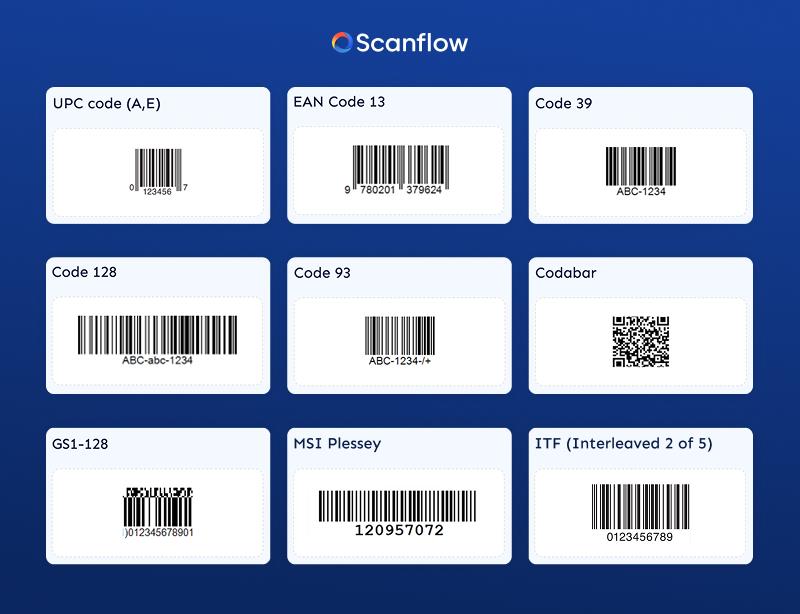
While there are approximately 30 barcode symbologies in use today, only a handful still exist. We focus on the 13 primary types of barcodes used in retail, logistics, manufacturing, healthcare, and transportation industries. 

 One-Dimensional (1D) Barcode Types 

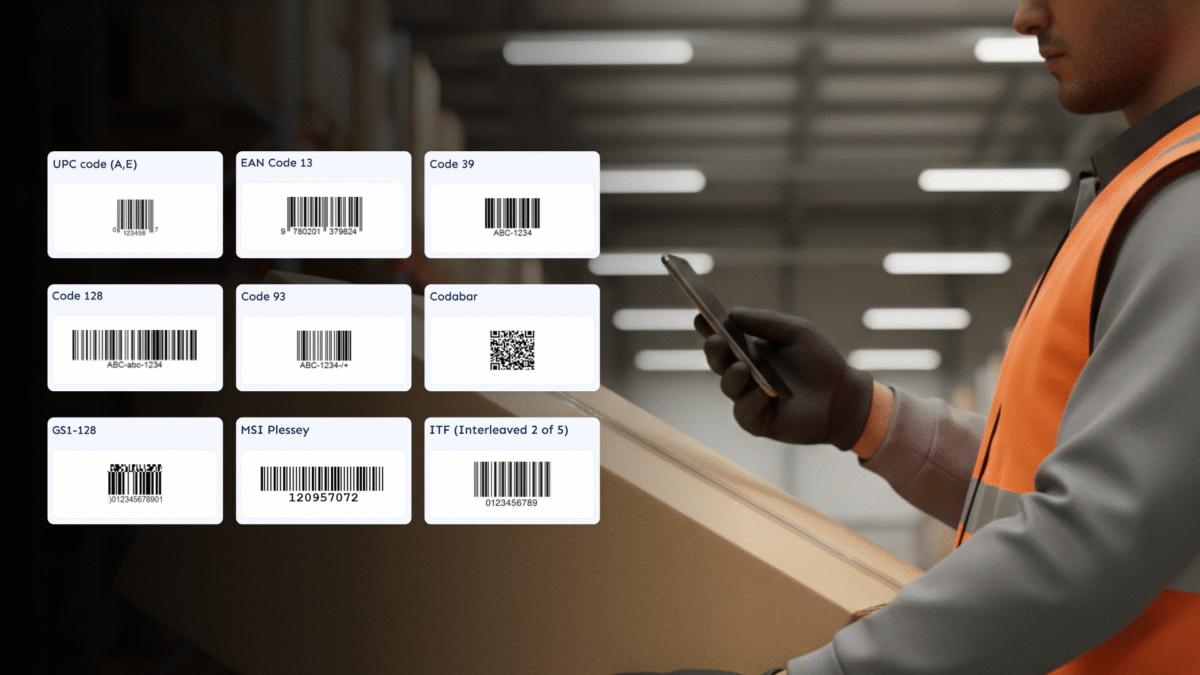
 1. UPC Barcode 

 UPC Barcodes are primarily used in North America (the United States) to identify and scan consumer items via point of sale. They provide quick, easy checkouts while still allowing a unique identifier for each item within a given retail system. 

The most common UPC format is UPC-A. This barcode type is a 12-digit number that uses the same encoding system as EAN-13, with the only major difference being that UPC-A omits the leading zero used in North America. 

When packaged products are smaller than traditional packaging, retailers use the UPC-E type. UPC-E is a compressed format that contains 6 digits and interfaces well with standard UPC systems. 

In addition to their use at the point of sale, UPC barcodes play an important role in retail inventory management by enabling accurate tracking from the manufacturer to the warehouse, from the warehouse to the distribution center, from the distribution center to the store, and finally from the store to the customer. 

 UPC Barcode Features: 

  • Data Capacity: Global Trade Identification Number (GTIN) with a Capacity of 12 Digits for UPC-A and 12 for UPC-E. 
  • Industry: Retail 
  • Checksum: Modulo 10 Checksum 

2. EAN Numerical & Quantitative Identification System  

EAN barcodes (European Article Numbers) serve as an international standard for identifying retail products and function as a global counterpart to the American Universal Product Code (UPC). EAN barcodes originated in Europe; however, they have become the predominant form of product identification worldwide. 

 The EAN-13 is the most commonly used EAN barcode and encodes 13 numerical digits. The components of an EAN-13 barcode include a prefix (indicating the country/region), the manufacturer’s code, the product code, and a validation digit/checksum. The EAN-8 is an alternative to EAN-13 that is shorter and typically used for small retail items (to conserve space). 

The EAN standard helps maintain consistency across a global supply chain, enabling seamless scanning during the order process across various manufacturers and suppliers worldwide. 

 EAN Barcode Characteristics Overview-  

  • Data capacity: 13 (EAN-13) and/or 8 (EAN-8) digit(s) (as can be encoded) 
  • Industry Application: Retail or Consumer Goods 
  • Checksum Verification: Uses mod10 to verify 
  • Industry Standard: ISO/IEC 15420 
  • Types of EAN: EAN-13, EAN-8 

3. Code 39

Code 39 is one of the earliest alphanumeric barcode symbologies and is still widely used by various industrial and enterprise companies. While both UPC and EAN use only numerical digits for their identification systems, Code 39 supports both numbers and upper-case letters (which makes it a good choice for internal tracking systems). 

Common uses of Code 39 include automotive manufacturing, defense, and logistics, where ensuring good readability and reliability take priority over using a small, compact design. Code 39 is often printed alongside human-readable text (underneath) to enable manual verification as needed. 

Due to their lower data density, Code 39 Barcodes are longer than those of many other coding standards, which limits their use on smaller labels. 

 Code 39 Features 

  • Can be used to encode: Alphanumeric (A-Z, 0-9, Limited Characters) 
  • Industries that use this Code standard include: Manufacturing, Automotive, Defense, and Logistics. 
  • A Checksum: Optional 
  • Code 39 Standard ISO/IEC 16388 
  • Variants of Code 39: Standard Code 39, Full ASCII Code 39 

4. Code 128  

Code 128 is a linear barcode with a high data density. This bar code can encode more characters and/or more data in a compacted format. 

Code 128 supports the full ASCII character set, and dynamically switches between character subsets to maximize the amount of data that Code 128 can encode.  

These features make Code 128 an ideal barcode format for logistics operations, including shipping and receiving, as well as in warehouse settings where users need to encode both numeric and alphanumeric data efficiently. 

In fact, even though the primary use of code 128 outside of retail is as an identifying and tracking method for couriers and freight systems. 

Code 39 vs Code 128: Code 39 prioritizes simplicity and readability, while Code 128 prioritizes efficiency, compactness, and data capacity. 

Code 128 Overview Features  

  • Can be used to encode: all 128 characters of the ASCII character set 
  • Type of Industry that uses code 128: Logistics, Warehousing, Transportation 
  • Code 128: Mandatory Checksum 
  • Code 128: Standard ISO/IEC 15417 
  • Variations of Code 128: Code Set A, B, C 

Interleaved 2 of 5 (ITF) is a Numeric-only Barcode extensively used throughout distribution to label cartons or packages. ITF is particularly well-suited for printing onto corrugated paper, where print quality may not be very controlled. 

The Intelligent Technology Foundation (ITF) is a method of encoding numeric data using pairs of values. This process enables efficient numeric representation of products while being durable enough for industrial use. ITF is typically seen on packages or pallets, rather than on individual consumer products.   

Here is an overview of what ITF is:   

  • Data only: Numeric  
  • Industries that use ITF: Packaging, warehousing, logistics  
  • Checksum: Optional  
  • Standard Code: ISO/IEC 16390  
  • Variations: ITF-14   

5. Code 93

Code 93 provides a more compact and reliable alternative to Code 39. Code 93 uses a similar character set as Code 39, but with much more density and improved error detection and correction.  

While the overall use of Code 93 is not high, it has found limited use in logistics and in internal enterprise applications, particularly when an organization wants to use less space to represent a barcode than a standard 2D code would require.  

Code 39 Features:  

  • Data stored: Alphanumeric  
  • Industries that use Code 93: Logistics, Internal Tracking  
  • Checksum: Required (2 Character)  
  • Standard: ANSI MH10.8M  
  • Variations: Standard Code 93  

6. Codabar  

Codabar is an older symbology still used in certain settings, such as libraries, blood donation facilities, and some legacy logistics systems. Codabar makes printing and decoding easy, with little to no computers required for either.  

While most barcode types have replaced Codabar, it still has a place in systems where companies require backward compatibility. 

Although updates to Codabar helped make it compatible with more contemporary barcode formats, it remains in use where backward compatibility with existing systems is necessary. 

CODABAR: Overview of Characteristics 

  • Data Capability: Numeric, includes a limited number of symbols. 
  • Industries Utilized by the Code: Libraries, Health Care, Legacy Systems. 
  • Checksum: Not Required 
  • Standard Used by the Code: ANSI/AIM BC3 
  • Variations of the Code: Codabar 

 7. GS1 DATABAR 

 GS1 DataBar is a compact barcode designed for retail applications that require more product-related information than standard UPC or EAN codes. Examples of this type of barcode include vegetables or fruits, gift certificates, or items sold by weight. 

Unlike traditional retail barcodes, the GS1 DataBar can encode product attributes, such as weight, selling price, and expiration status. Therefore, with the use of GS1 DataBars, retailers will be better able to maintain accurate inventory and improve checkout procedures.  

GS1 DATABAR: Overview of Characteristics 

  • Data Capability: Numeric includes Application Identifiers (AI). 
  • Industries Utilized by the Code: Retail and Grocery. 
  • Checksum: Required 
  • Standard Used by the Code: GS1 General Specifications 
  • Variations of the Code: Omnidirectional, Expanded, Truncated. 

8. MSI PLESSEY 

The MSI Plessey is a numeric barcode designed primarily for warehouse inventory control and retail back-office systems. It is easy to implement and is a good choice in a closed-loop environment where global standards are not necessary. 

  • MSI PLESSEY: Overview of Characteristics 
  • Data Capability: Numeric Only 
  • Industries Utilized by the Code: Warehouse and Inventory Management 
  • Checksum: Not Required 
  • Standard Used by the Code: MSI Specification 
  • Variations of the Code: MSI-10 and MSI-11 

Types of Barcodes: 2-D Barcodes  

 1. QR Codes 

A QR code is a 2-D barcode that can store large amounts of information in a compact square. QR codes are used in many ways across marketing, payments, authentication, and consumer interaction because of their compatibility with smartphone cameras.  

 The QR Code’s data-encoding capabilities enable businesses to encode URLs, text, identifiers, and structured data, making them ideal for both consumer and business applications.   

Support for Data:  

  • Data Types: Numeric, Alpha, Binary 
  •  Industry use: Marketing, Payments, Retail, Manufacturing 
  •  Error Correction: Built-in error correction with 4 levels 
  •  Standard: ISO/IEC Standard 18004 
  •  Barcode Variation: Model 1, Model 2, Micro QR  

2. Data Matrix Code  

Data Matrix code design can hold a high density of data in a small amount of space ideal for the manufacturing, electronics, and healthcare industries for Direct Part Marking (DPM).  

Data Matrix codes facilitate accurate decoding even when they sustain partial damage, making them well-suited for the harsh working conditions common in the manufacturing industry. 

Support for Data:  

  • Data Types: Numeric, Alpha, Binary 
  • Industry use: Manufacturing, Healthcare, Electronics 
  • Error Correction: ECC 200 
  • Standard: ISO/IEC Standard 16022 
  • Barcode Variation: ECC 200  

3. PDF417 Code  

PDF417 is both a stacked linear barcode and is capable of holding large volumes of information. The PDF417 code is popular on shipping materials, government-issued identification cards, and transportation documents. 

PDF417 can hold a large amount of data and is often used to add detailed information directly to the barcode. 

 Features of PDF417 at a glance: 

  • Data Capabilities – Text + Binary + Images  
  • Industries – Logistics, Government, Transportation  
  • Built-In Error Correction – Reed-Solomon  
  • Standards – ISO/IEC 15438  
  • Variations –Standard PDF417 + MicroPDF417  

4. Aztec Code: 

The Aztec Code is a compact 2D barcode that helps with easy decoding without a quiet zone. Its primary use is for ticketing and mobile boarding passes. 

 Its compact design makes it suitable for digital displays, and its durability ensures it remains effective even on low-quality printed materials. 

Features of Aztec Code at a glance: 

  • Data Capabilities – Numeric + Alphanumeric + Binary  
  • Industries – Transportation + Ticketing  
  • Built-in error correction  
  • Standards – ISO/IEC 24778  
  • Variations – Aztec + Compact Aztec  

Choosing the Right Barcode for Your Needs.  

Choosing the right barcode for your needs depends on many factors. There is no standardized “one-size-fits-all” barcode that you can use for every application. 

Some of the factors to consider when making your decision are;  

  1. How much data do you want your barcode to store? 
  2. Where will your barcode be printed? 
  3. Where do I plan to scan my barcode? 

Are there any regulatory or industry requirements related to the use of barcodes? Important considerations when selecting a barcode include:

  • Amount of Data – Number or numeric + alphabetic + metadata  
  • Scanning Environment – Type of light, scanning distance, and speed  
  • Label Size and Surface Area – Small parts or large packages  
  • Durability – Damage, abrasion, or distortion of the barcode  
  • Compatible With Devices – Hand-held scanner, camera, and/or mobile device  

Compliance With Regulations Or Industry Standards – GS1, Industry mandates, or local, state, or federal regulations. 

Industry-Specific Barcode Types 

The types of barcodes used in different industries can vary. Here are the most common barcodes by industry: 

  • Retail (UPC, EAN, GS1 DataBar) 
  • Logistics/Warehousing (Code 128, ITF, PDF417) 
  • Manufacturing/Automotive (Data Matrix, Code 39) 
  • Healthcare (Data Matrix, QR) 
  • Marketing/Payments (QR codes) 
  • Transportation (Aztec, PDF417) 

Implementing Barcodes – Step-by-Step Guide 

Step 1: Identify Your Use Case 

Determine the ideal barcode to track: products, parts, assets, documents, or shipments. 

Step 2: What Type of Barcode Should You Use? 

Once you identify the number of items to label, you can determine whether to use a 1D or 2D barcode based on the data volume per item, the available label space, and the scanning location. 

Step 3: What Are the Printing and Labeling Conditions? 

Choose printing and labeling methods with the appropriate quality and durability for real-world usage conditions. 

Step 4: How Will You Verify the Scanner’s Compatibility with Your Barcode? 

Test the barcode against every type of scanner to ensure it scans barcodes in your organization. 

Step 5: How Will You Test, Monitor, and Scale the Barcode System? 

Run a pilot program to test the accuracy of scans and revise the process before moving forward with the full implementation of the barcode system. 

In Summary  

Barcodes may seem like a simple tool, but when you need to choose the right type of barcode for your organization, it can have a HUGE impact on your operational efficiency, compliance, scalability, and data-capture accuracy. 

Understanding the various barcode types, their strengths/weaknesses, and how they work will help you create a barcode strategy that enables you to grow your organization rather than create a bottleneck. 

Barcodes don’t just store data; if used correctly, they can provide your entire organization with improved visibility into its operations, faster inventory movement, and greater confidence in the integrity of your inventory. 

Categories
Barcode scanning

How to Eliminate Label Scanning Errors in High Volume Warehouses

In the high stakes world of high volume warehouses, label scanning accuracy isn’t just important it’s mission-critical. Whether managing order fulfilment, inventory tracking, or cross-docking, every second and scan counts. Yet, many operations face the ongoing challenge of label scanning errors that trigger mis-picks, misrouted packages, inventory mismatches, and operational slowdowns.

Scanflow’s asset identification solution is transforming the warehouses with the technology to eliminate scanning errors with precision, scalability, and intelligence.

Understanding the Root Causes of Label Scanning Errors

Before you can fix scanning issues, you must understand their origin. The most common culprits include:

  • Poor Label Quality: Faded, scratched, or low-resolution labels are common in harsh warehouse environments.
  • Inconsistent Label Placement: Scanners fail to read codes placed at inconsistent angles or obstructed surfaces.
  • Format Variability: Using different barcode types or encoding schemes leads to recognition failures.
  • Environmental Conditions: Glare, shadows, and low light disrupt scanner performance.
  • Manual Errors: Human factors like incorrect manual inputs or skipped scans contribute to inaccuracies.
  • Outdated Equipment: Legacy scanners may lack the responsiveness or range needed for dynamic workflows.

Best Practices to Prevent Scanning Errors

Even before adopting advanced solutions like Scanflow, the following foundational practices reduce scanning failures significantly:

1. Standardize Label Formats

  • Use uniform barcode types, font sizes, and color contrasts.
  • Add quiet zones (blank space around barcodes) to ensure clean reads.

2. Use Durable Label Materials

  • Choose thermal transfer or weatherproof labels resistant to heat, abrasion, and moisture.

3. Optimize Label Placement

  • Affix labels to flat, clean surfaces with consistent orientation across bins, racks, and boxes.

4. Improve Lighting Conditions

  • Enhance visibility in scanning zones by eliminating glare and shadows.

5. Conduct Routine Quality Audits

  • Implement daily spot checks and regular accuracy audits to detect patterns and lapses.

How Scanflow’s Asset Identification Solution Solves Scanning Errors

Scanflow elevates warehouse operations beyond the limitations of traditional scanning systems. Here’s how it virtually eliminates label scanning errors:

1. AI Powered Scanning Engine

  • Scanflow leverages AI algorithms to recognize barcodes, QR codes, VINs, and text even if damaged, distorted, rotated, or partially obscured. It delivers over 98% accuracy in challenging environments.

2. Versatile Identification Capabilities

  • It supports a wide range of identifiers: barcodes, serials, batch numbers, capturing real-time data with millisecond precision.

3. Real Time Exception Detection

  • Operators receive immediate alerts when duplicate scans, incorrect items, or missing tags are detected before errors escalate into operational losses.

4. Easy Integration

  • Scanflow connects seamlessly with major ERP and WMS systems like SAP, Oracle, and Microsoft Dynamics via SDK making rollout fast and scalable.

5. Built for High-Volume Zones

  • From fast paced sorting hubs to dispatch lanes and cross-docks, Scanflow’s mobile and fixed deployments maintain performance under pressure.

Quantifiable Impact: Proven Benefits of Scanflow

Warehouses implementing Scanflow have reported:

  • 75%+ reduction in scan-related errors and misroutes
  • 98%+ scanning success rate across all label types
  • 30–50% faster scanning time compared to legacy tools
  • Improved traceability, batch management, and compliance
  • Higher staff efficiency due to reduced error handling

Conclusion

High-volume warehouse operations can no longer afford the ripple effects of label scanning errors. With evolving customer demands and shrinking delivery windows, precision is the new productivity.

Scanflow AI Asset Identification SDK solution empowers warehouses to eliminate scan-related issues with agility, intelligence, and integration ensuring every scan tells the right story.

Want to see how Scanflow can elevate your warehouse? Schedule a demo today.

Categories
Barcode scanning

How to scan barcodes in low light or with damaged codes using AI

Low light, damaged labels, and rotated barcodes aren’t rare exceptions they’re part of the daily grind in logistics, retail, and warehousing. These conditions slow teams down and break most traditional scanning systems.

Scanflow AI Asset Identification is made for exactly these real-world challenges. Built for speed and accuracy, it consistently outperforms legacy scanners in fast-moving, high-volume environments where precision can’t wait.

1. Low-Light Scanning

Scanflow reads barcodes even in poorly lit warehouses, dim corners of storage units, or night-time field operations. It compensates for shadows, glare, and motion blur—making it ideal for mobile or fixed-camera use cases.

2. Damaged or Partially Obscured Labels

Where traditional scanners fail, Scanflow succeeds. It can interpret:

Torn or scratched barcodes

Smudged, faded, or dirty labels

Codes covered by plastic or partially blocked

This ensures high readability even during rugged use across supply chains.

3. Rotated and Misaligned Barcodes

Scanflow’s AI Asset Identification can decode barcodes regardless of their orientation sideways, upside down, or curved around surfaces. This flexibility eliminates the need to manually realign items for scanning, saving time and reducing errors.

Where Scanflow Stands Out

Scanflow is designed for environments where speed, accuracy, and tough conditions are the norm:

For logistics teams, it eliminates delays caused by unreadable barcodes on moving cartons and pallets.

For retail operations, it enables seamless shelf and POS scanning, regardless of packaging shape or label condition.

For delivery and warehouse workers, Scanflow acts as a top barcode scanner that performs even under poor lighting or inconsistent label placement.

It’s not just about reading codes it’s about improving throughput, reducing scan failures, and enabling automation at scale.

Mobile SDK for Seamless Integration

Scanflow offers a lightweight, developer-friendly Mobile SDK for iOS and Android that brings its AI barcode scanning capabilities directly to any mobile device. Whether integrated into your warehouse management app or a last-mile delivery workflow, the SDK ensures:

Fast, accurate scans using the device camera

Support for real-time processing under variable lighting

Robust performance on damaged, distorted, or rotated barcodes

Easy integration with minimal code and full documentation

With Scanflow’s SDK, you can turn any smartphone into an enterprise-grade AI scanner, drastically cutting hardware costs while scaling with ease.

Proven Results

Companies using Scanflow have reported:

Over 98% scan accuracy in poor conditions

30–50% faster processing speeds

Reduced scan retries and manual interventions

Better visibility and tracking across supply chain workflows

Ready to Experience the Difference?

Whether you’re modernizing warehouse processes, managing field logistics, or enhancing retail operations, Scanflow delivers the speed and reliability expected from a top AI barcode scanner.

Explore our capabilities or request a demo.

Categories
label capture Logistics Retail Manufacture Barcode scanning Text Scanning

Top 5 Ways Asset Identification Transforms Pharma Pick and Pack Operations

Pharmaceutical companies today face real problems with manual tracking systems that just don’t cut it anymore. Workers spend hours manually entering batch numbers, checking labels, and verifying products  all while dealing with tight deadlines and zero tolerance for mistakes. One wrong batch number can trigger a costly recall. Scanflow’s asset identification SDK changes this completely by using AI mobile scanning to read and verify product information straight from the packaging, making pharma distribution operations faster and more reliable.

How Scanflow Transforms Pharma Operations

1. Batch Number Capture

Manual batch tracking is where most pharma operations lose time and money. Workers squint at tiny printed numbers, type them into systems, and hope they got it right. With thousands of products moving through facilities daily, human error is inevitable.

Scanflow’s system reads batch numbers directly from packages using AI technology. It achieves 98% accuracy rates, which beats manual entry by a wide margin. The system works even when batch numbers are printed on difficult surfaces like curved bottles or glossy labels. No more transcription errors, no more having to double-check every entry, and no more recalls caused by tracking mistakes.

2. Real-Time Inventory Control

Most pharma distribution centers still rely on outdated tracking methods that update inventory hours or even days after products move. This creates blind spots where nobody knows exactly what’s in stock or where specific batches are located.

Scanflow optimizes asset tracking and inventory management, automating barcode processing and improving in pharma distribution and warehouses. The asset identification solution provides real-time visibility into pharmaceutical inventory levels, locations, and movement throughout the pharma distribution supply chain. When products move, the system updates immediately. Integration with existing WMS and ERP systems means inventory records stay current without extra work from warehouse staff.

3. Complete Label Verification in One Scan

Current label checking processes require workers to manually verify multiple data points – expiration dates, lot numbers, NDC codes, dosage information. This takes time and creates opportunities for oversight, especially during busy periods.

Scanflow’s system reads and validates different data fields from pharmaceutical labels in a single scan. This eliminates the tedious manual checking process while ensuring every package meets specifications.

4. Faster Operations With Better Accuracy

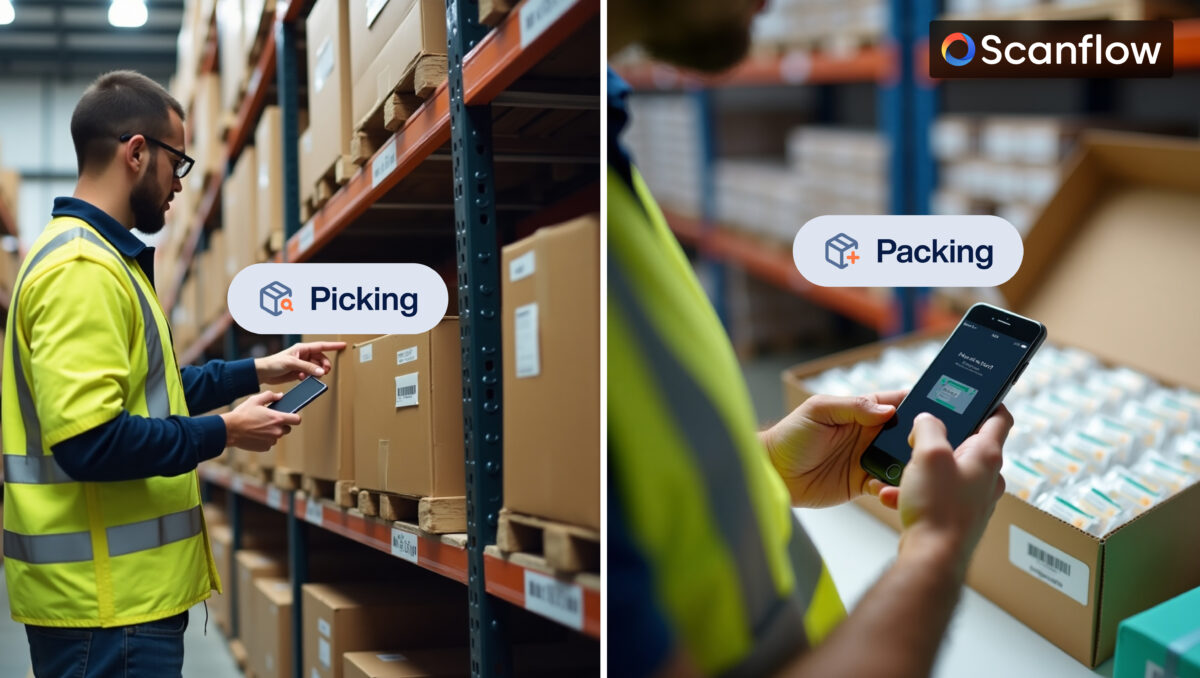
Traditional pick and pack operations in pharmaceutical facilities and pharma distribution centers often involve time consuming manual verification processes. Scanflow’s asset identification solution improves operational efficiency by automating multiple verification steps simultaneously. Workers can scan, verify, and process products 70% faster than manual methods.

The system handles product codes, batch numbers, expiration dates, and quality checks all at once. This speed increase means facilities can process more orders per day without adding staff. Workers focus on handling products and solving problems instead of data entry and verification tasks.

5. Complete Product Traceability from Start to Finish

Tracking products through the entire supply chain is mandatory in pharma, but most companies struggle with gaps in their traceability records. When regulators ask for complete product history or when recalls happen, teams scramble to piece together information from multiple systems and paper records.

Scanflow creates an unbroken chain of custody for every product that passes through your facility. Every scan captures location, timestamp, operator ID, and product details automatically. The system tracks products from receiving through storage, picking, packing, and shipping without requiring extra data entry from workers.

When you need traceability information whether for a routine audit, customer inquiry, or recall situation – everything is already documented and searchable. The system shows exactly where each batch has been, who handled it, and when each step occurred. This complete visibility helps companies respond faster to regulatory requests and reduces the time spent investigating product history issues.

Scanflow’s Mobile SDK Technology

Scanflow’s asset identification solution is built on a mobile SDK that works with existing pharmaceutical operations. The platform uses computer vision algorithms trained specifically for pharmaceutical packaging, handling different box sizes, label formats, and printing styles commonly found in pharma distribution.

The scanning technology adapts to various lighting conditions and package orientations that occur in real warehouse environments. The AI learns from each facility’s specific products and improves recognition over time. The mobile SDK works on handheld devices, tablets, and fixed scanning stations, giving companies flexibility in how they deploy the technology.

Business Impact and Measurable Results

Companies using Scanflow’s asset identification solution see results within months of implementation. Labor costs drop significantly when workers stop spending time on manual data entry. Error rates decrease, which means fewer returns, recalls, and compliance issues. Processing speed increases allow facilities to handle more volume without expanding staff.

The system scales across multiple facilities and product lines as companies grow. The technology integrates with existing warehouse management systems without disrupting current workflows. For pharmaceutical operations dealing with increasing volume and tighter regulations, automated asset identification isn’t just helpful it’s becoming necessary for staying competitive.

Categories
Barcode scanning Logistics label capture Text Scanning

Inventory Management and Data Traceability in Pharma Distribution

In today’s rapidly evolving pharmaceutical distribution landscape, maintaining accuracy and efficiency in inventory management is crucial, especially for organizations working in mission-critical sectors such as humanitarian aid and global healthcare. However, many organizations continue to rely on manual workflows, which are prone to errors, inefficiencies, and compliance risks.

Manual data entry, especially in pharmaceutical packaging, can lead to costly mistakes, including incorrect labeling, missed batch numbers, and missing expiry dates, resulting in delays, stock discrepancies, and non-compliance with regulatory standards. These inefficiencies not only affect the timely delivery of vital medicines but also undermine the integrity of the entire supply chain. Without automation, organizations may face:

  • Inaccurate data capture: Errors in batch number entries, expiration dates, and labeling inconsistencies.
  • Compliance risks: Regulatory requirements are not met, leading to potential penalties and product recalls.
  • Inventory discrepancies: Mismanaged stock levels due to incorrect data tracking, resulting in overstock or stockouts.

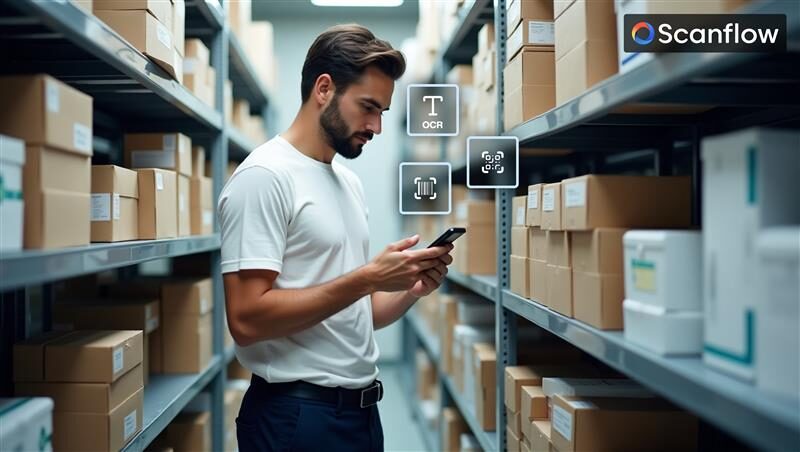
Scanflow provides an advanced, offline-capable AI solution that transforms manual data entry into an automated process for seamless inventory management. By leveraging Barcode/QR code recognition, OCR for text extraction, and accurate capture of batch numbers, Scanflow ensures that pharmaceutical distribution is streamlined, error-free, and compliant with regulatory standards.

Here’s how Scanflow enhances inventory management in pharmaceutical distribution:

  • Barcode/QR Code Recognition: Automated scanning of barcodes and QR codes provides real-time, accurate tracking of product inventory. This ensures that batch numbers, manufacturing, and expiry dates are captured effortlessly, ensuring that all items are traceable and compliant with industry regulations.
  • OCR for Text Extraction: Scanflow uses Optical Character Recognition (OCR) to capture and validate essential details like batch numbers, expiry dates, and product information from labels, ensuring no vital information is overlooked.
  • Seamless Integration with Existing Workflows: Scanflow can integrate with a variety of existing systems and platforms, ensuring smooth data flow from warehouse management systems (WMS) to inventory tracking platforms without disruption.
  • Offline Functionality: Even in areas with poor connectivity, Scanflow’s offline capabilities allow users to continue scanning and updating inventory data, which is then synced with the central system when connectivity is restored.

A leading humanitarian NGO involved in the global distribution of medical supplies faced challenges in their inventory management. The organization required a solution that would ensure real-time tracking of pharmaceuticals and medical equipment, while ensuring compliance with international regulations. Scanflow provided the perfect solution, using AI scanning to automate processes across multiple stages:

  • Barcode Serialization: Ensures traceability and data integrity for every product distributed.
  • 2D Barcode and QR Code Scanning: Facilitates efficient parcel tracking during transport.
  • Datamatrix Scanning on Packing Lists: Accurately identifies key product information even on space-constrained packaging lists.
  • OCR for Shelf-Stored Items: Extracts critical data from medical supplies stored on shelves, enabling seamless inventory tracking.

With Scanflow’s automated data capture solution, the organization significantly improved its inventory accuracy, reduced manual workload, and enhanced regulatory compliance across its global operations. This led to more efficient supply chain management, reduced errors, and improved healthcare outcomes in the field.

In today’s fast-paced pharmaceutical distribution industry, leveraging automation is no longer optional; it’s a necessity. Scanflow’s visual AI solution helps organizations streamline their workflows, enhance inventory accuracy, and improve compliance. Whether it’s in pharma packaging, warehouse management, or distribution, Scanflow ensures that the right product gets to the right place on time, every time, with complete traceability and data integrity.

Explore the benefits of Scanflow for your operations and see how it can help you streamline your pharma logistics and improve your inventory management.

Interested in improving your pharmaceutical distribution with streamlined inventory management?

Discover how Scanflow’s automated data capture can ensure accuracy, compliance, and operational efficiency. Request a Demo or Get in Touch with Our Experts to learn more.

Categories
vin scanning Quality control general Text Scanning Barcode scanning ID Scanning uncategorised Tire Sidewall

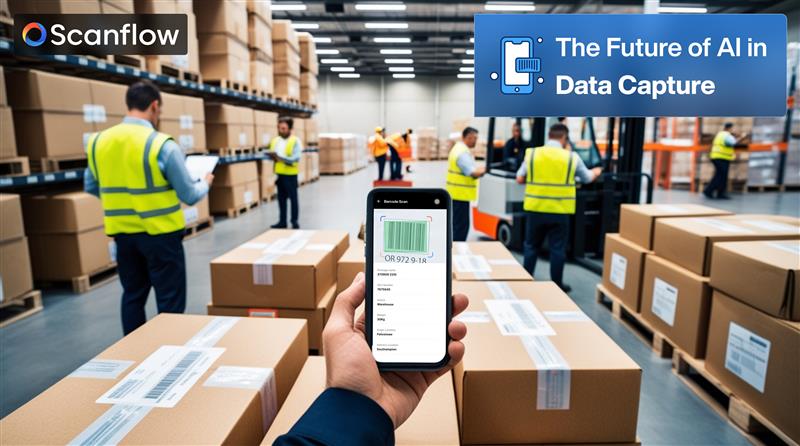
How AI is Transforming Data Capture Across Industries

In today’s fast-paced world, businesses are turning to AI for data capture to collect, process, and manage complex information with greater accuracy and speed. This technology extends beyond simple data extraction, it efficiently handles alphanumeric data like VIN plate scanning, tire sidewall numbers, serial numbersBar codes, QR codes etc., ensuring precision even in the most challenging conditions. 

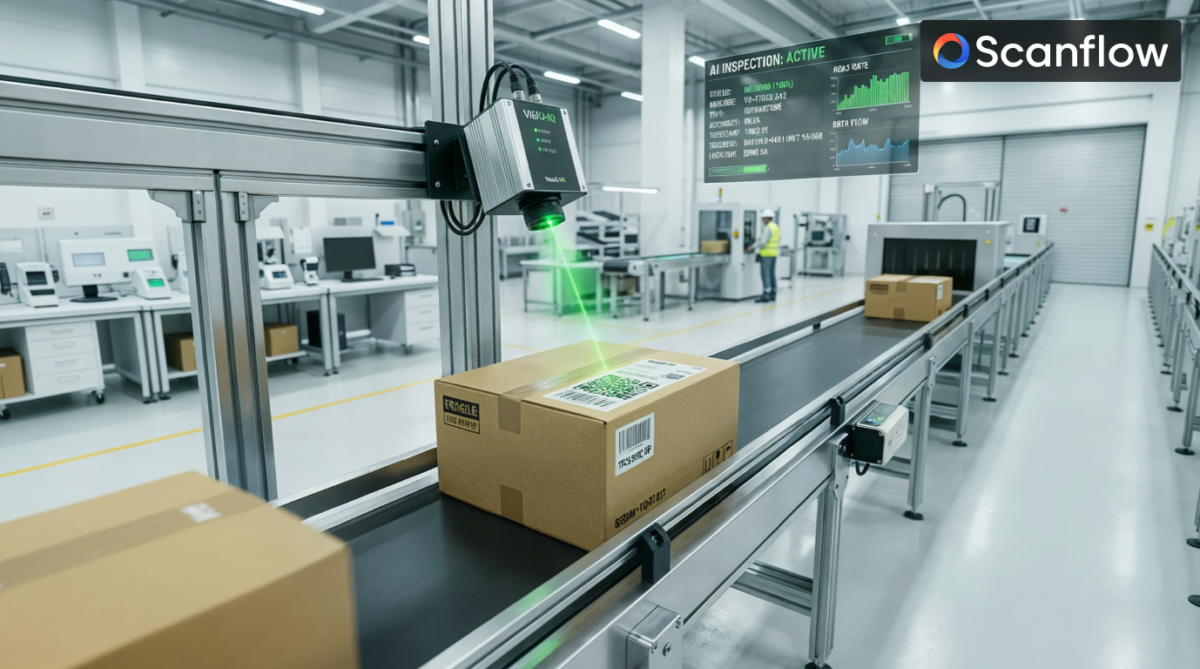
Industries such as automotive, logistics, manufacturing, and retail are integrating AI visual inspection solutions and AI for data capture to streamline workflows, reduce manual errors, and enhance operational efficiency. This shift isn’t just a technological upgrade but it’s redefining how businesses capture and use data in real time.

  1. Expanding Data Capture Beyond Traditional Methods

AI is revolutionizing data capture by automating the collection of complex information across various environments. What once required manual data entry or specialized equipment can now be handled seamlessly by AI visual inspection workflows. 

Key applications of AI in advanced data capture include: 

VIN Plate Scanning: Essential in the automotive and logistics industries, AI quickly and accurately captures vehicle identification numbers, streamlining tracking, registration, and inventory. 

Tire Sidewall Numbers: AI can extract detailed information from tire sidewalls, supporting product verification, recall management, and quality assurance in manufacturing. 

Serial Number Scanning: Useful in electronics and industrial sectors, AI captures serial numbers for inventory tracking, warranty management, and equipment identification. 

Alphanumeric Text Recognition: AI retrieves data from labels, machinery plates, and industrial documentation, ensuring error-free data input and reducing manual workload.

Why it matters?

AI captures data from worn, distorted, or low-visibility surfaces, ensuring accurate collection under challenging conditions. This reduces errors, enhances data consistency, and allows businesses to maintain accurate records without manual oversight. 

  1. Automating Workflows for Greater Efficiency

Manual data entry is labor-intensive and prone to mistakes. AI introduces automation across industries, reducing the need for human intervention while improving accuracy and speed. This is particularly valuable in environments requiring high-volume data capture. 

Benefits of AI-automated workflows include: 

Faster Data Processing: AI captures and processes large volumes of data in seconds, accelerating operations in industries like logistics and automotive. 

Error Reduction: AI eliminates human error by accurately reading and recording alphanumeric information, even from difficult angles or damaged surfaces. 

Seamless Workflow Automation: AI integrates with existing ERP systems, warehouse management software (WMS), and supply chain platforms to automate data transfer and reporting. 

Industries such as manufacturing and retail benefit significantly from automated workflows, as AI can track incoming and outgoing shipments, verify product details, and ensure smooth operational transitions. 

  1. AI for Data capture: From Capture to Insight

AI doesn’t just capture data. Once collected, the data is processed, organized, and integrated with existing systems to provide a comprehensive view of business operations. 

Applications of AI for data management across industries include: 

Inventory Control: In warehousing and logistics, AI tracks product movement and ensures real-time updates, reducing miscounts and stock discrepancies. 

Automated Audits: AI facilitates internal audits by automating the collection and verification of critical data, ensuring compliance with industry regulations. 

Data Accuracy and Reporting: AI improves reporting precision by capturing real-time data across multiple touchpoints, enhancing supply chain visibility and operational transparency. 

By automating data management, businesses can process vast information efficiently while maintaining accuracy, ultimately enhancing decision-making and optimizing resource allocation. 

  1. Industry-Specific Use Cases of AI in Data Capture

AI’s adaptability makes it invaluable across multiple sectors, where it enhances efficiency and reduces human error. Here’s how AI-driven data capture transforms different industries: 

Automotive Industry: AI simplifies VIN plate scanning, improves inventory accuracy, and facilitates compliance tracking across vehicle fleets. 

Logistics & Supply Chain: AI automates serial number scanning for package tracking, delivery validation, and warehouse automation, ensuring faster and more accurate logistics. 

Manufacturing: AI captures tire sidewall numbers and other industrial identifiers, streamlining product lifecycle management and enhancing production efficiency. 

Retail & Consumer Goods: AI supports large-scale inventory tracking and customer data management, improving efficiency in managing supply chains and retail stock. 

Healthcare: AI assists in capturing device serial numbers and alphanumeric codes on medical instruments, ensuring accurate records for regulatory compliance. 

The Future of AI in Data Capture

The future of AI visual inspection solutions is poised to bring even more advanced capabilities to data capture and management. With ongoing advancements, AI will offer: 

Improved Recognition Accuracy: Enhanced models for capturing data from irregular surfaces, low-light environments, and damaged labels. 

Integrated Systems: Seamless communication with broader digital ecosystems, including IoT devices and smart supply chains. 

Scalable Automation: Greater scalability for industries handling high volumes of alphanumeric data, ensuring accuracy across diverse applications. 

Conclusion: AI is Redefining Data Capture 

AI is transforming the way industries handle data capture, moving beyond traditional methods to deliver faster, more accurate, and automated solutions. From VIN plate scanning in the automotive sector to serial number scanning in logistics, AI enhances efficiency and reduces human error across various touchpoints. 

By integrating AI visual inspection workflows and AI for data capture, businesses can automate complex processes, improve operational accuracy, and gain real-time insights. This shift not only optimizes resource allocation but also ensures smoother, more efficient workflows across industries. 

As AI continues to evolve, its applications in data capture will expand, offering smarter, more scalable solutions that drive innovation and operational excellence. Embracing these advanced technologies is no longer optional, it’s essential for businesses looking to stay competitive in a data-driven world.

To stay ahead of this curve, Explore Scanflow AI and see how it can benefit your business operations, visit – https://www.scanflow.ai/get-in-touch/

Categories
Barcode scanning

Taking scanners to the Sky!  All you need to know about Drone Scanning

In today’s world, drones have progressed as a technological headway that helps businesses to utilize them in building capabilities. The advancement in artificial technology and computer vision has created new ways of adopting drone technology in the business process. The applications of drone scanning vary and cover a wide range of industries such as agriculture, field services, and inventory management.

However, there is still a significant opportunity for other industries and technology companies to implement drone scanning to save costs and improve efficient workflows in their enterprise.

Industries are already shifting toward software-based scanners for efficient automation of their workflow process. Unlike conventional scanners, software scanners can be integrated into any existing smart device such as smartphones, tablets, wearables, drones, etc. They have the capability of transforming any smart device into an enterprise-grade scanner.

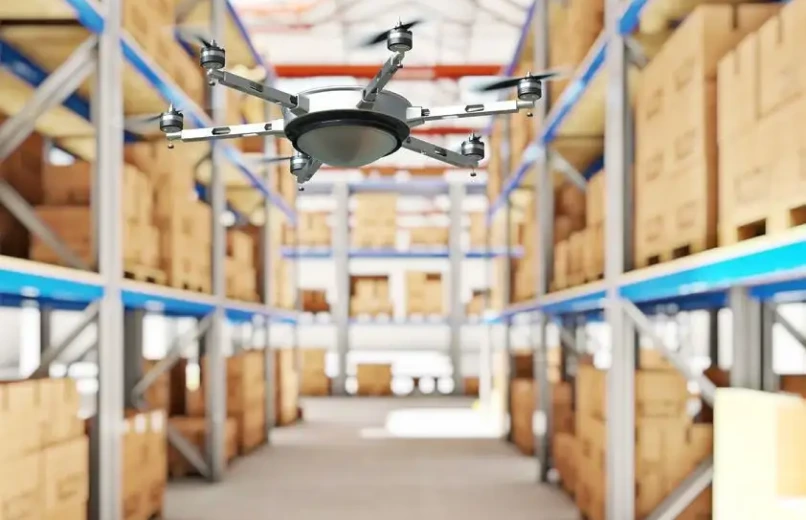
In certain scenarios of scanning, workers need to scan items placed on high shelves which require some external support such as a forklift or reach truck with which the workers have to manually scan the stocks and inventory. This procedure is time-consuming, expensive, and dangerous to workers handling it. Drone scanning is a game-changing solution for scanning products and pallets in warehouses. The drone captures data from text, barcodes, or any other object and provides the workers with real-time insights. Drone scanning has the ability to capture high-quality videos from aerial angles at any orientation.

Some of the use cases of drone scanning are farm surveying, tower inspections, and stock counting in large warehouses. These applications are gaining popularity, and help businesses to save money, improve safety, and produce quality results. Drone scanning requires less labor, reduces workforce hazards, and saves time and money

.

Drones help scan from places where workers cannot access them and provide instant information on the product or items being scanned without any errors. Drone scanning will act as an excellent method of liberating workers from potentially hazardous situations and the scanning can be completed without any human support from a safe distance.